
Status page maintenance windows
Schedule planned downtime, reduce surprises, and keep customers in the loop.
 Start Free Trial
Create a maintenance window in minutes. Subscribers get notified automatically on your configured channels.
Plan. Publish. Notify. Done.
Maintenance windows let you communicate planned downtime like a pro, without writing a single “sorry for the inconvenience” email by hand.
Create a maintenance window
Give it a title, message (Markdown supported), choose the status page, and pick start/end time.
Select what’s affected
Tie maintenance to components and monitors so your status page stays accurate and specific.
Notify subscribers automatically
Subscribers get notified via email and your configured channels (Discord, Slack, Telegram or webhooks) when maintenance is scheduled, when it starts, and when it’s completed.
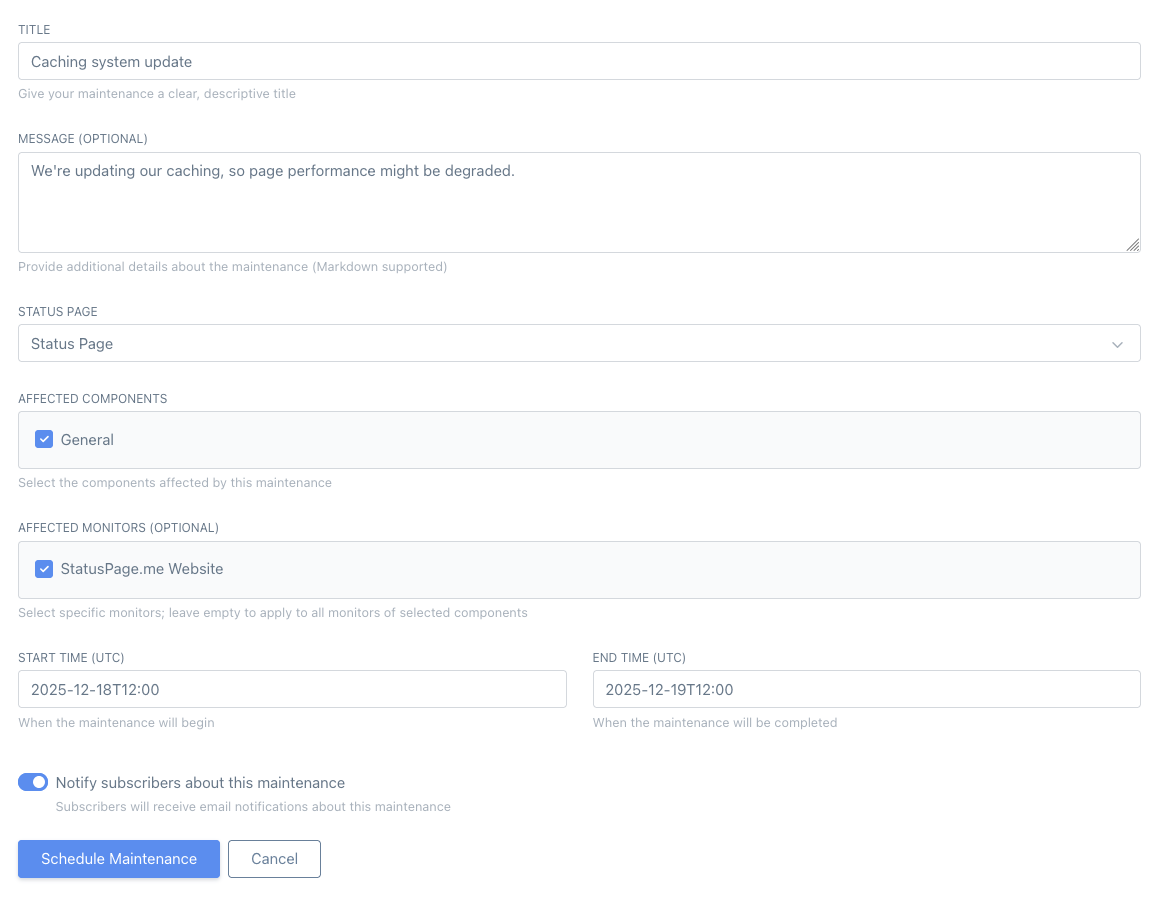
💡 You can access this screen by navigating to Maintenances → Schedule Maintenance in your dashboard.
Communicate Maintenance Effectively
Set expectations, reduce support tickets, and show customers you run a serious operation by announcing maintenance in advance.
Schedule in Advance
Pick a start/end time and publish it ahead of time so users know what to expect (and when it ends).
Automatic Notifications
Notify subscribers when maintenance is scheduled, when it starts, and when it completes via email and connected channels. No manual chasing.
Status Page Banner
Show upcoming and active maintenance on the status page so visitors see it before they open a ticket.
Maintenance History
Keep a public (or private) log of planned downtime for trust, transparency, and post-incident sanity.
Perfect for routine ops work
Anything that might cause degraded performance or brief downtime belongs here. If you’re doing changes, communicate them.
- Database upgrades and migrations
- Cache rebuilds, deploys, and infrastructure work
- DNS changes and planned cutovers
- Third‑party maintenance you want to proactively announce
Common questions about maintenance windows
A quick overview of how planned maintenance, notifications and history work in StatusPage.me.